Authentication
Zparse authenticates API calls with an access key sent in the Authorization header. This page covers how to create a key, how to send it, what it grants you, and how to revoke it.
Access key creation
In order to perform API calls on Zparse, you need to create an access key. To do so go to Profile > Security.
 Click on `Create new key`
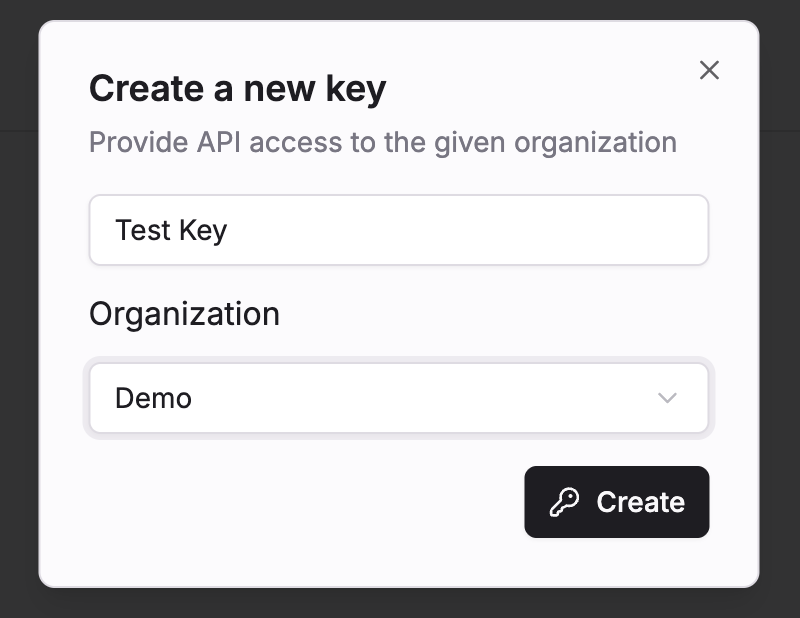 Select an organization you belongs to or you own profile on which this key will be attached.
For now access key inherit the same permission as your own user.
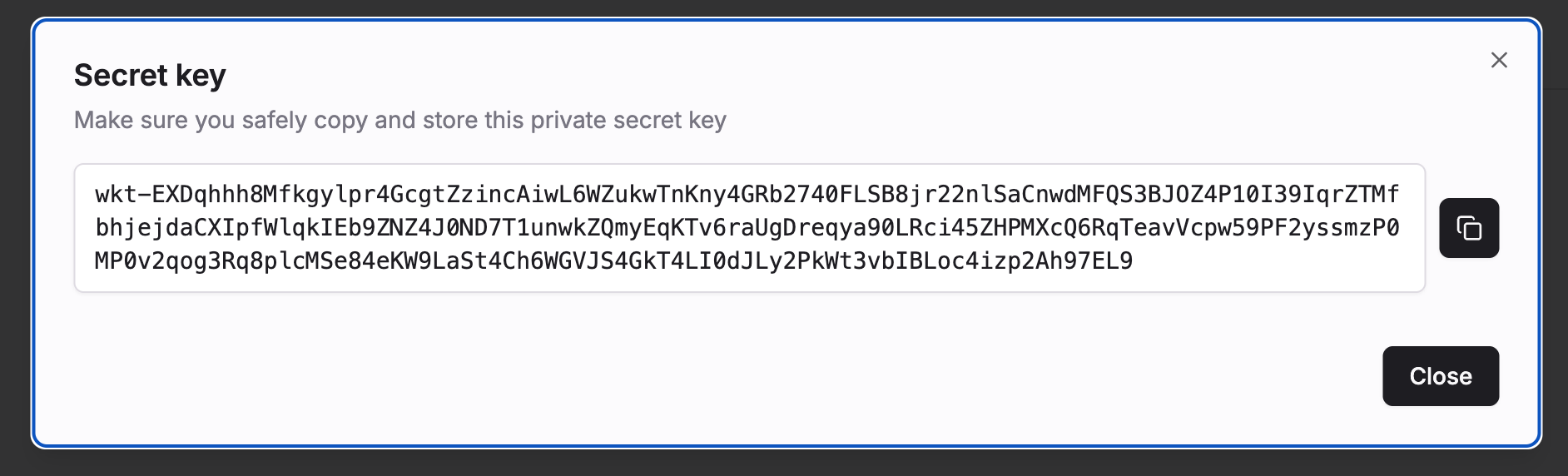 Once created, copy your key in some safe place.
Beware that you won't be able to retrieve this key after closing the modal.
Usage
For any API call which require authentication, add your access key under the Authorization header.
curl https://api.zparse.io/workflow/e/h/{workflow_uuid}/{node_uuid} \
  -H 'Authorization: wkt-vTn4KpQ...'
An access key always starts with the wkt- prefix, followed by 256 alphanumeric characters. Keys are long — store them as a whole, never truncate them.
The Bearer scheme is optional. These two headers are equivalent:
Authorization: wkt-vTn4KpQ...
Authorization: Bearer wkt-vTn4KpQ...
If a Zparse session cookie is present on the request, it takes precedence over the Authorization header — the key is ignored. Use a clean context (server-side call, curl, or a private window) when testing a key.
Cross-origin OPTIONS preflight requests must also carry the X-ZPARSE-IO-CSRF header, otherwise they are rejected before reaching the endpoint.
What a key grants
- One organization. The organization (or personal profile) you pick at creation is baked into the key. A key cannot act on any other organization — create a separate key per organization you integrate with.
- Your own permissions. A key inherits the permissions of the user who created it, at the time each call is made.
- No expiry. Keys stay valid until you delete them.
If the organization's subscription becomes suspended, calls made with its keys are refused until the subscription is restored.
Which calls need a key
Workflow entry points — webhooks, HTTP endpoints — carry their own Public switch:
- Public entry point: no authentication, anyone holding the URL can call it.
- Non-public entry point: the
Authorizationheader is required, and the key's organization must match the workflow's organization.
Everything else on api.zparse.io requires a key.
X-ZPARSE-IO-AUTHX-ZPARSE-IO-AUTH is unrelated to platform authentication. It is an optional header whose value is forwarded into your workflow as the Header auth connector, so you can implement your own check with a Guardian node. It never grants access to Zparse itself.
Revoking a key
 Use the same dashboard if you need to disable generated access keys.
Deleting a key takes effect immediately: the key is removed and its cached credentials are purged, so in-flight integrations start failing on their very next call. There is no way to restore a deleted key — issue a new one and update your integrations.
Troubleshooting
| Response | Meaning |
|---|---|
401 — please authenticate | No Authorization header, or the key is unknown, malformed, or has been deleted. |
403 | The key is valid but the user it belongs to is not allowed to perform this call. |
If a call that used to work starts returning 401, check in order: the key still exists in Profile > Security, the key's organization matches the resource you are calling, and no session cookie is overriding the header.
Good practices
- Store keys in a secret manager or environment variable — never in source control, client-side code, or a URL query string.
- Create one key per integration and label it accordingly, so you can revoke a single consumer without breaking the others.
- Rotate keys periodically: create the new key, deploy it, then delete the old one.
- Prefer keys attached to an organization rather than a personal profile, so access survives someone leaving the team.