Monitoring API
Get information about execution of a given workflow, details per steps.
Return same information you get in monitoring dashboard:
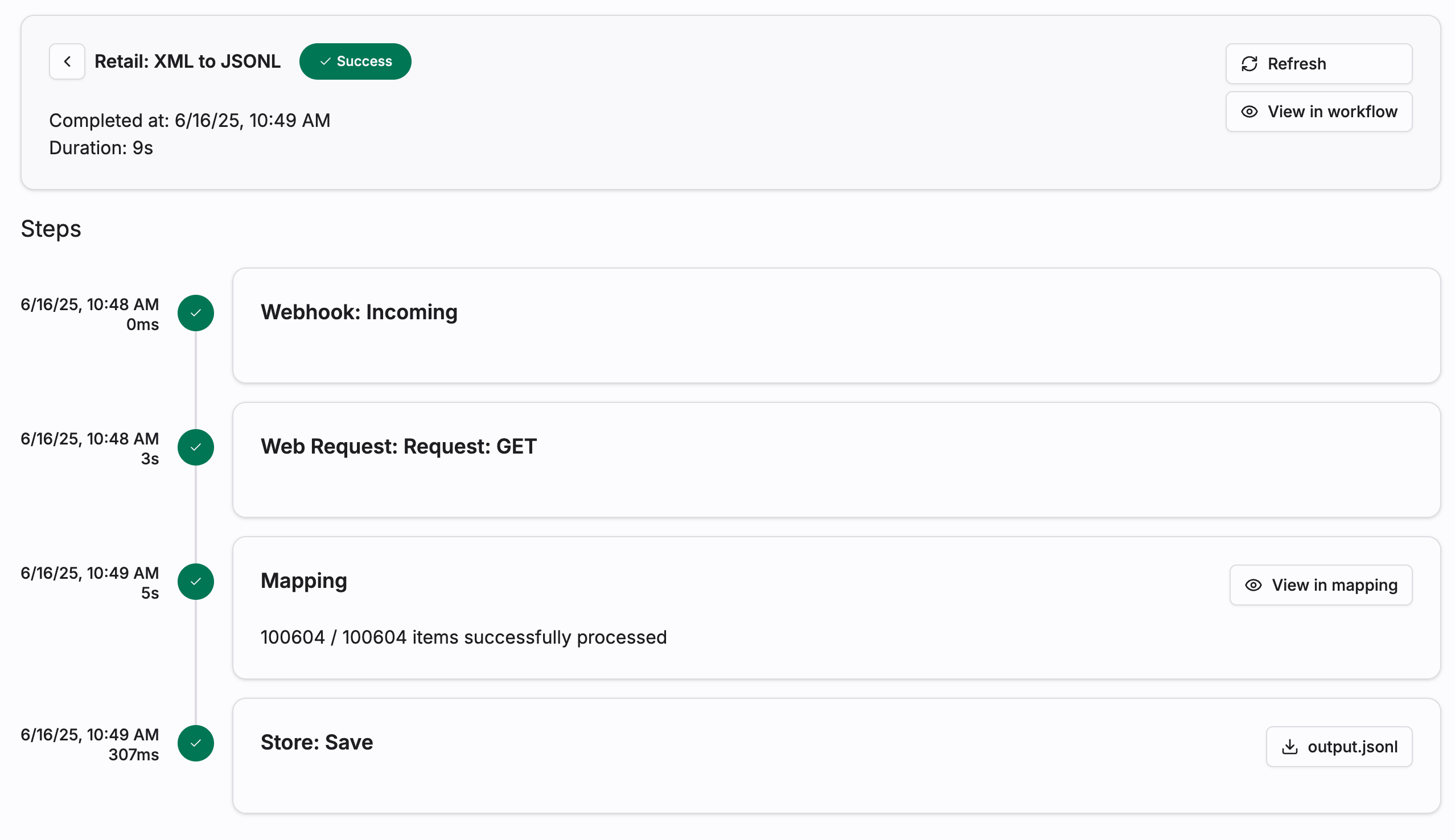
API
Authenticated GET request to: https://api.zparse.io/workflow/e/t/{tracker_uuid}
Response
{
    tracker: {
        uuid: Uuid,
        workflow_uuid: Uuid,
        workflow_name: String,
        status: TrackerState,
        created_at: DateTime<Utc>,
        updated_at: DateTime<Utc>,
        completed_at: Option<DateTime<Utc>>,
        metadata: <JSON>,
    },
    items: [
        {
            uuid: Uuid,
            node_uuid: Option<Uuid>,
            node_type: String,
            node_label: String,
            node_order: i32,
            iteration: i32,
            status: TrackerState,
            started_at: Option<DateTime<Utc>>,
            updated_at: DateTime<Utc>,
            completed_at: Option<DateTime<Utc>>,
            metadata: <JSON>,
        }
    ],
    user: Option<PublicUserInfo>
}
pub enum TrackerState {
    InProgress,
    Paused,
    Pending,
    Failed,
    Success,
    Canceled,
    TimedOut,
}
tracker.status describes the run as a whole, and each entry in items carries the status of one node. A run is finished once its status is Success, Failed, Canceled or TimedOut — InProgress, Pending and Paused mean it is still moving.
Retrieving a response
An asynchronous endpoint call answers with a tracker instead of your payload — but the responder still ran. Its output is stored and exposed on the corresponding tracker step, so the monitoring API is also how you collect a result after the fact.
- Keep the tracker uuid returned by your call.
- Poll
GET https://api.zparse.io/workflow/e/t/{tracker_uuid}until the run reaches a finished state. - Find the responder step in
items— the entry whosenode_typeisHTTPServer::HTTPServerJSONResponseorHTTPServer::HTTPServerFileResponse. Once itsstatusisSuccess, itsmetadataholds the payload location:
{
    "response": {
        "url": "https://api.zparse.io/workflow/{organization_uuid}/file/v1/download/{step_uuid}/{tag}",
        "expire_at": "2026-08-21T09:00:00Z"
    }
}
- Download
response.urlto get the body your responder produced, beforeexpire_at.
Only calls that answered asynchronously: the Form endpoint, the Batch endpoint, and the File endpoint called with ?mode=PlayAsync. A synchronous call already returned the responder's output inline and needs no follow-up.
For a batch, remember the workflow runs once per file: the tracker holds one set of steps per file, distinguished by their iteration.
Failed steps and retention
A step that failed exposes only its translated error message in metadata — raw internal detail is never published on this route.
Trackers are also subject to your workflow's retention policy. Once a tracker expires, its steps and any stored responder payload are no longer retrievable, so download what you need before expire_at.