Incoming Webhook
Start Zparse workflows from a simple GET API call.
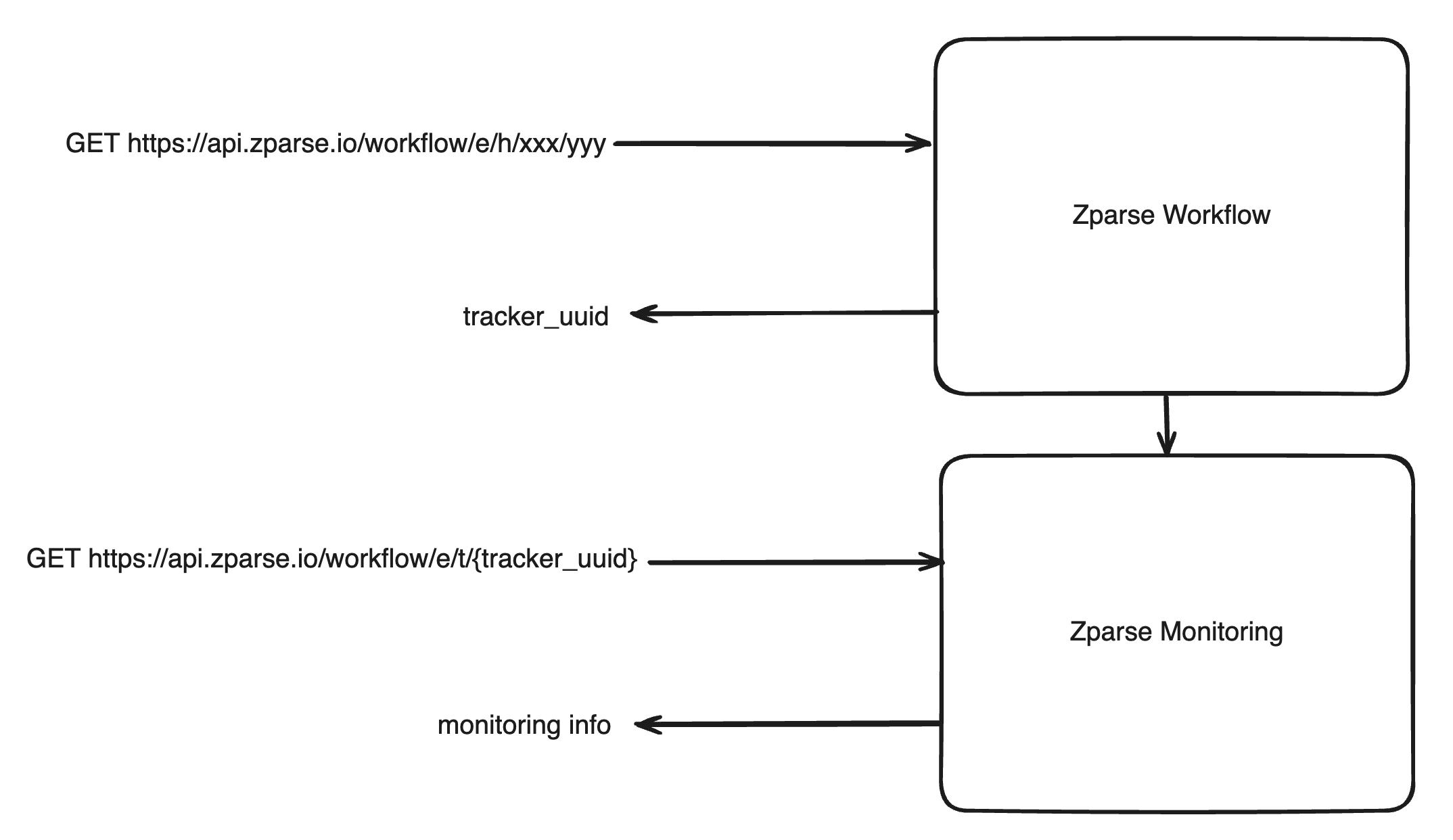
An incoming webhook is a trigger, not a data channel: the call carries no body and no query data into the workflow. Use it when the event itself is the information — a nightly scheduler firing, a third-party service signalling "something changed", a button in one of your back-offices — and let the workflow fetch whatever it needs afterwards.
If you need to push data in, use a web endpoint instead: JSON for a payload, File or Batch for documents, Form for mixed fields.
Pre-requisite
A Workflow with an Incoming Webhook function node properly configured.
Configuration
See platform reference: How to configure Webhook
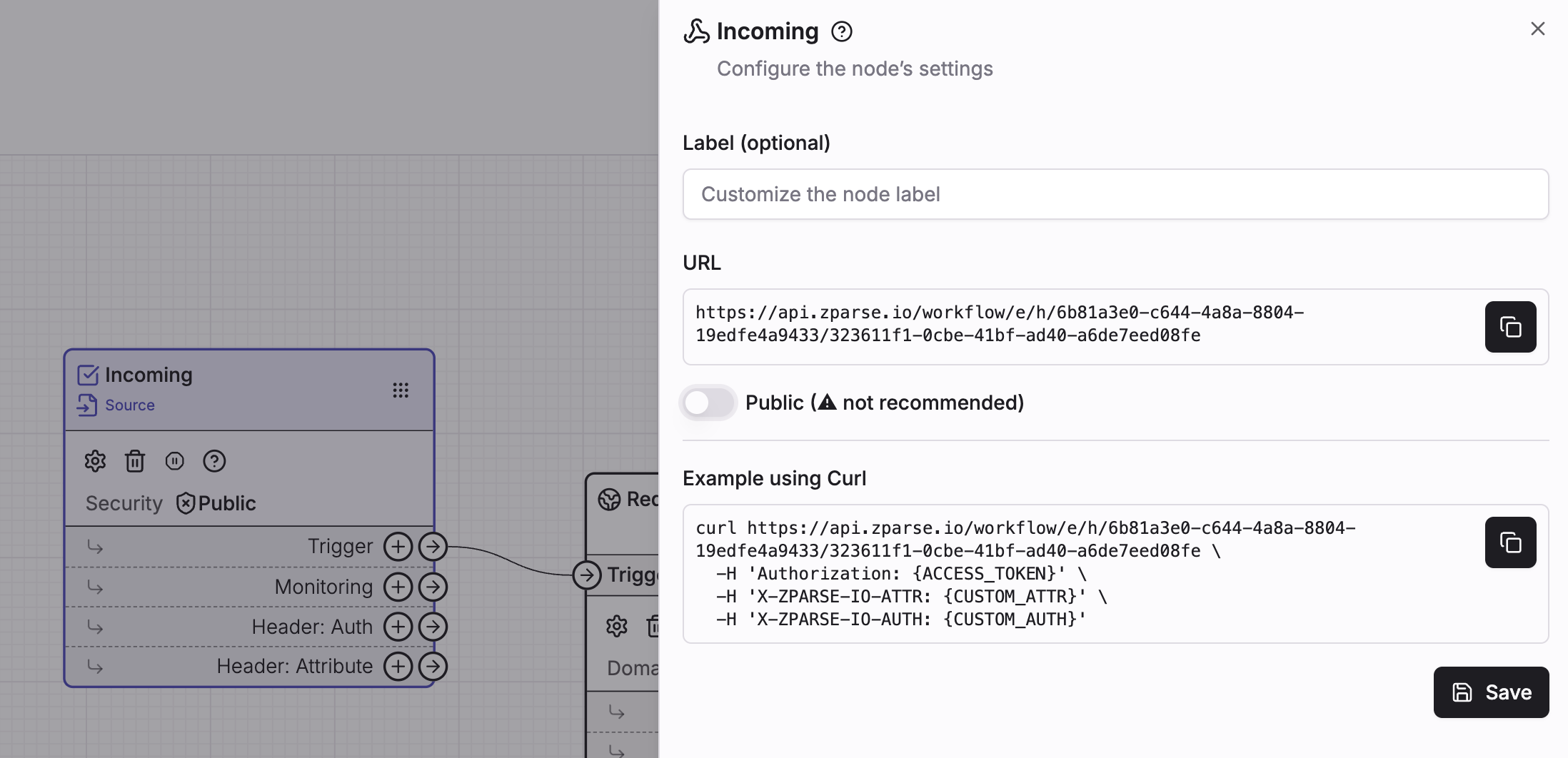 Copy hook url directly from your workflow editor page
Usage
Call the copied url from your own http client with a GET request. The webhook accepts no body and reads no query string — everything it can receive travels in headers.
If private workflow: Configured access key. Cf: How to handle Authentication.
Optional header you can use to provide additional context to your call.
Its value arrives on the node's Header: Attribute connector — the only
way to pass a value in through this webhook, handy to carry an identifier
or a source name.
Optional header you can use to check extra security. Its value arrives on
the node's Header: Auth connector so you can validate it yourself with a
Guardian node.
curl https://api.zparse.io/workflow/e/h/xxx/yyy \
  -H 'Authorization: {ACCESS_KEY}' \
  -H 'X-ZPARSE-IO-ATTR: {CUSTOM_ATTR}' \
  -H 'X-ZPARSE-IO-AUTH: {CUSTOM_AUTH}'
Response
Tracker identifier to follow up on workflow execution. See tracker API
{ "tracker_uuid": "xxx-yyy-zzz" }
Hook are executed asynchronously meaning even for long duration processing, response will be instant.
The webhook always answers 200 as soon as the run is accepted — the status tells you the workflow started, never whether it succeeded. To know the outcome, follow the tracker from the Monitoring API, which is also where you collect anything a responder produced, see Retrieving a response.
There is no synchronous mode on this webhook: unlike the File and Batch endpoints, it has no ?mode= switch.
Securing your webhook
The url embeds two uuids, which makes it hard to guess but is not a secret in itself — treat it like a password and avoid leaking it in logs, browser history or client-side code.
- Private webhook (recommended) — leave
Publicoff on the node and send an access key in theAuthorizationheader. Zparse then also checks that the key's organization matches the workflow's, see Authentication. - Public webhook — anyone with the url can start the run. Use it only when the caller cannot authenticate, and consider sending a shared secret in
X-ZPARSE-IO-AUTHthat you verify inside the workflow with a Guardian node. For callers that can sign their requests, the ED25519 Guardian verifies a signature instead of a shared secret.
Troubleshooting
| Symptom | Cause |
|---|---|
The call is rejected with a 5xx | Most often an authentication problem: the webhook is not public and no access key was sent, the key is invalid, or the key's organization does not match the workflow's. None of these currently surface as a 401 or 403, so check the Authorization header first — see Authentication. |
| The route is not found | The call was made with the wrong verb. This webhook only answers to GET. |
200 but nothing seems to happen | The run started and failed further down. Open the tracker returned by the call to see which step failed. |