Types
Available node input and output types.
None
Represents the absence of a value or a null value.
Boolean
Represents a boolean value, which can be either true or false.
True or False
Text
Represents a sequence of characters, typically used for text data.
"Hello world"
Number
Represents a numeric value. There is a single number type: integers and decimals alike are backed by an exact decimal representation (no separate float type).
42 -12 42.33 -1.03
Array
Represents an ordered collection of values.
["element_1", "element_2"]
Object
Represents a collection of key-value pairs, where keys are strings.
{ "hello": "world", "age": 42 }
JSON
Represents a JSON value, which can be an object, array, string, number, etc.
{ "hello": "world", "age": 42 }
[1, 2]
"hello"
42
XML
Represents an XML node, which can be an element, attribute, text, etc.
<hello age="42">World</hello>
Excel Row
Represents a spreadsheet row: an object keyed by column letter.
"A" -> "hello", "B" -> 42
Excel Cell
Represents a spreadsheet cell at a given column.
"A" -> "hello"
Excel Cells
Represents a set of spreadsheet cells.
CSV Row
Represents a row read from a CSV file. Under the hood it is typed as an Excel row, so it can be connected to any Excel-row input.
GSheet Row
Represents a row read from a Google Sheet. Under the hood it is typed as an Excel row, so it can be connected to any Excel-row input.
Parquet Row
Represents a row read from a Parquet file, as an object keyed by column name.
Workbook
Represents a whole Excel workbook, with all its sheets and their data.
Sheet
Represents a single sheet of an Excel workbook.
Date
Represents a date without a time component.
2024-03-24
Time
Represents a time without a date component.
12:03:42.12
Datetime
Represents a date and time combined, typically in ISO 8601 format.
2024-04-12T15:30:12.123456+02:00
Location
Represents a geographical location, typically with latitude and longitude.
(42.9340° N, 0.9380° E)
Any
A connector labeled "Any" accepts (or produces) a value of any type: it advertises every concrete type at once.
Any base value
A connector labeled "Any base value" accepts any scalar-like base value: none, boolean, text, number, array, date, datetime or time.
In editor
Every connector advertises a set of types — possibly several. Two connectors are compatible when their type sets share at least one type: a plain intersection, with no coercion or subtyping. This is also why "CSV Row" and "GSheet Row" outputs plug into Excel-row inputs: they are typed as Excel rows under the hood.
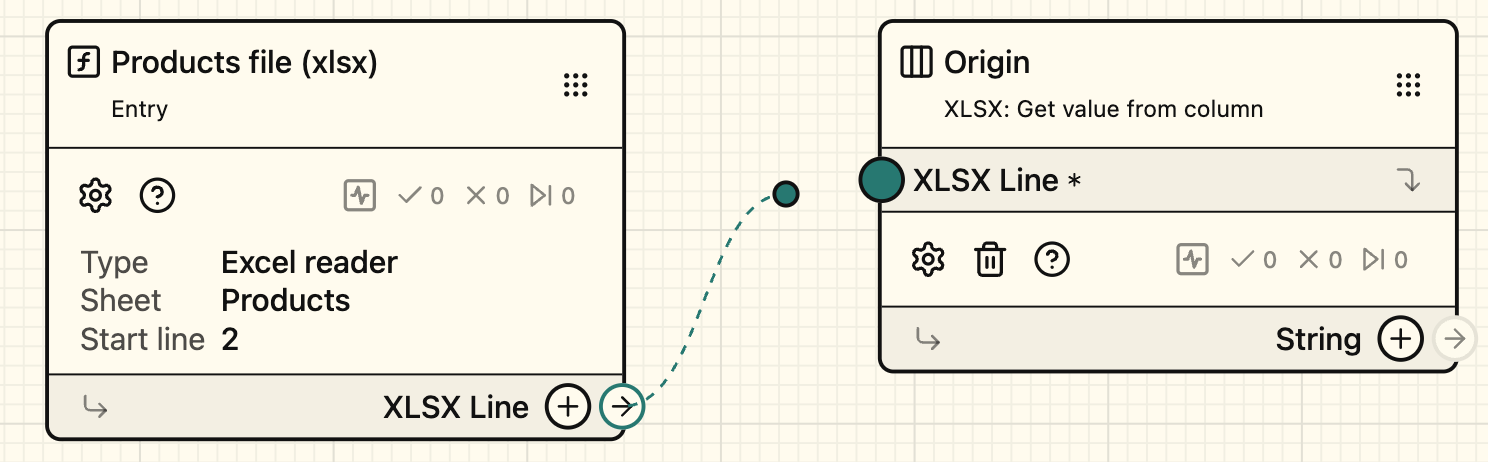 Compatible type, connectors are highlighed (green), connection is possible.
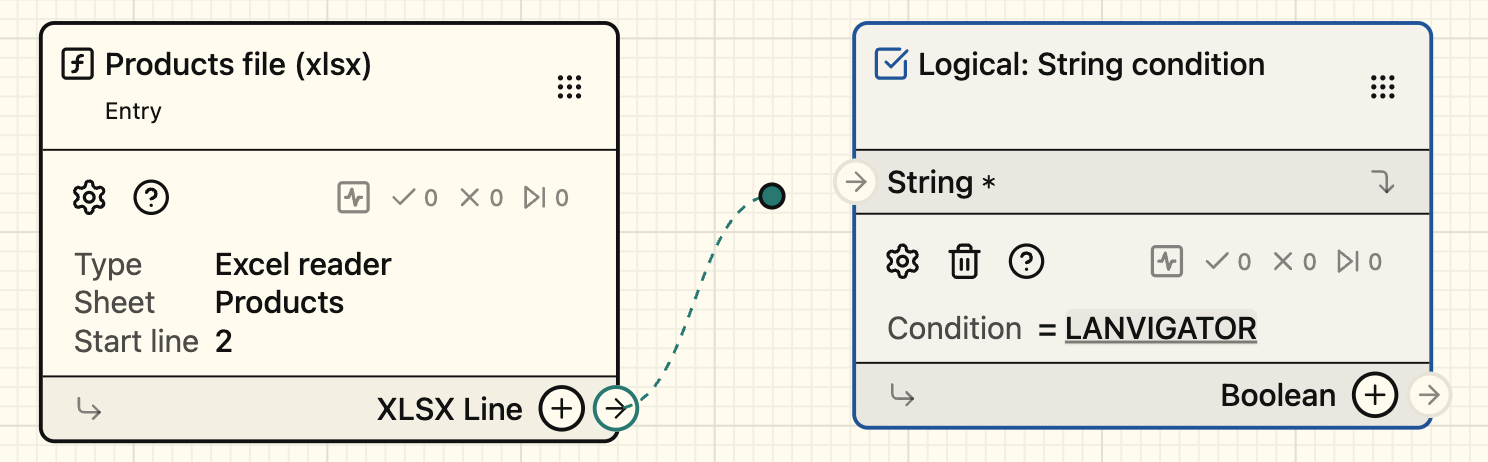 Incompatible type, connectors are not highlighed, connection is impossible.